Point to Point Sharing Case Study

Back

The Problem

Facilitating the sharing of document objects within Sigma presented a challenge for certain customers, primarily attributed to dependencies on data permissions. As a consequence, these customers encountered restricted UI visibility or malfunctioning document features — across Dashboards, Worksheets, Tables, and Datasets — leading to a suboptimal experience for anyone trying to collaborate.

My Role

I led product design on a team of five — a product manager, an engineering manager, a frontend engineer, and a backend engineer.

Objective: design product features enabling admin and non-admin users to share and collaborate on one another's work, while giving everyone clarity on exactly where they stand within the data permission hierarchy.

Research

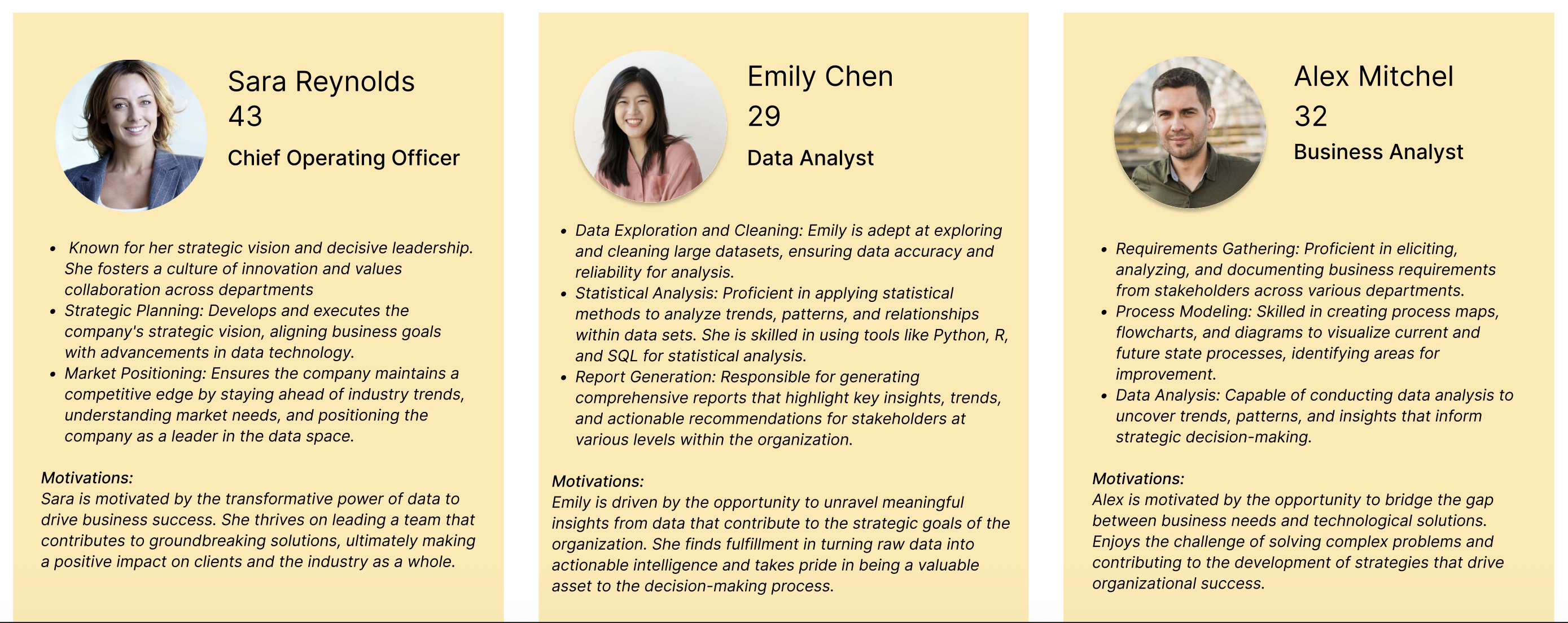
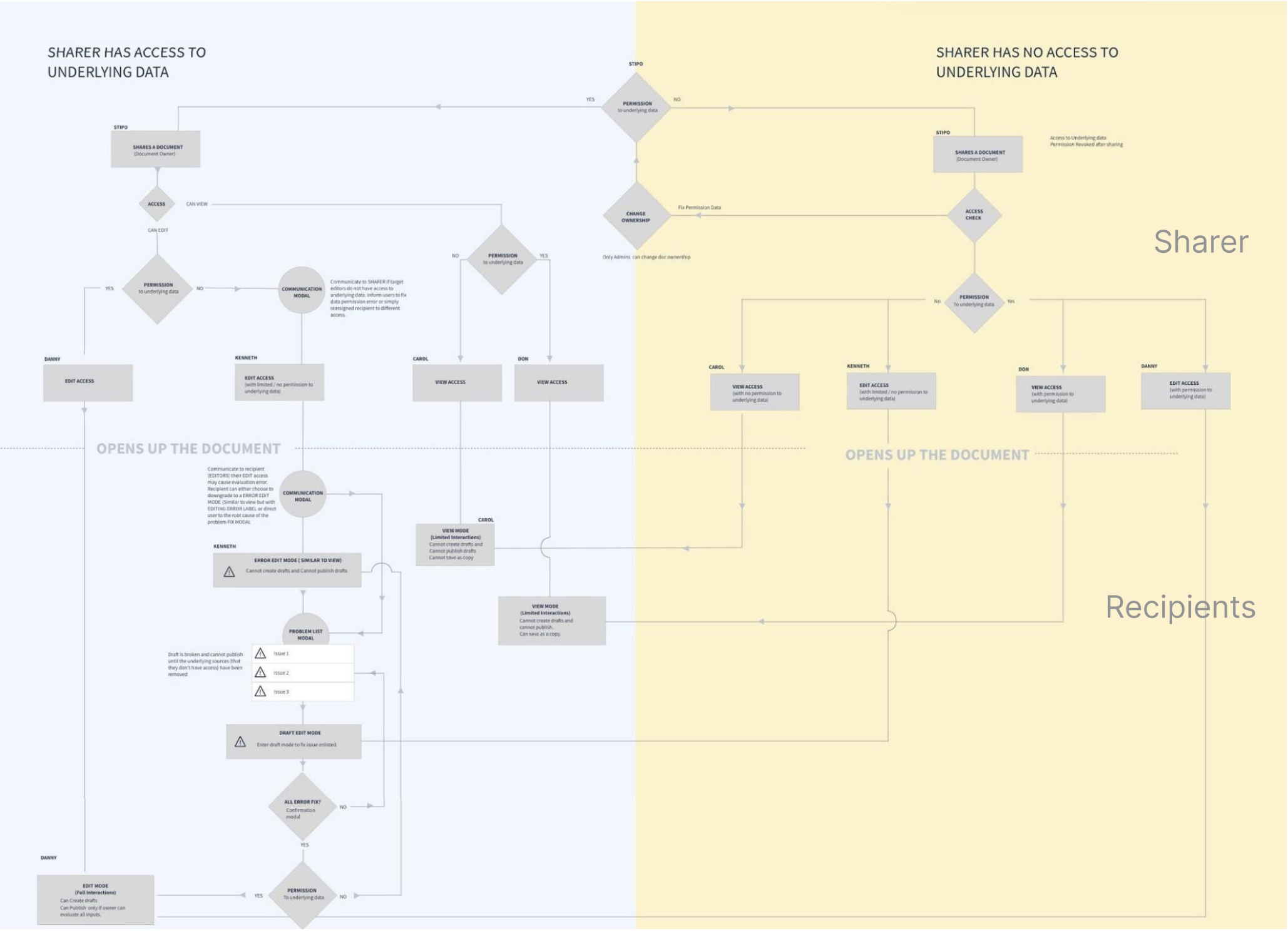
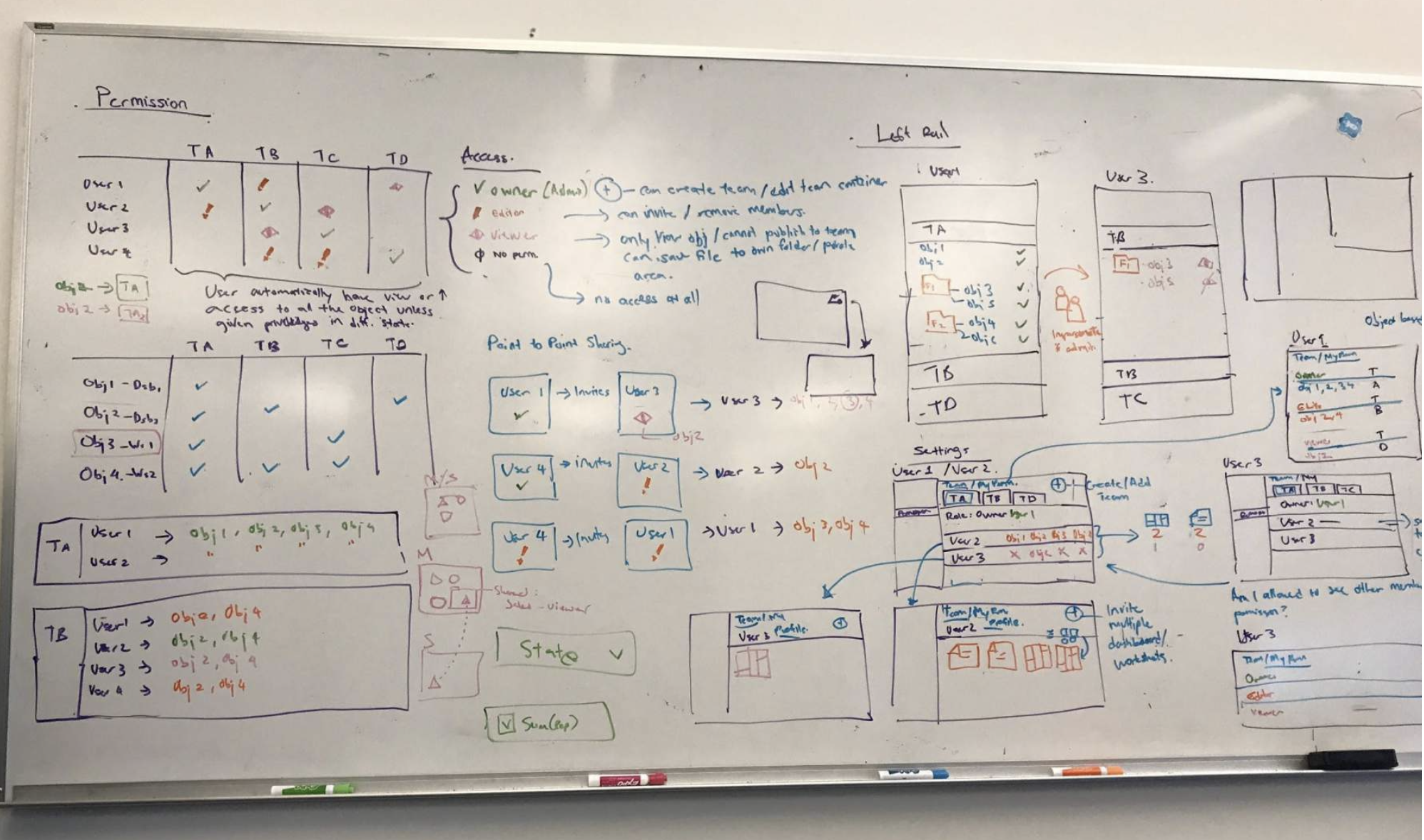
I ran a whiteboard exercise to map document-object relationships against data permissions, then built out user personas — a Chief Operating Officer, a Data Analyst, a Business Analyst — to represent the range of people who'd actually be sharing dashboards, worksheets, and datasets day to day.

Solution: Non-Admin Sharing

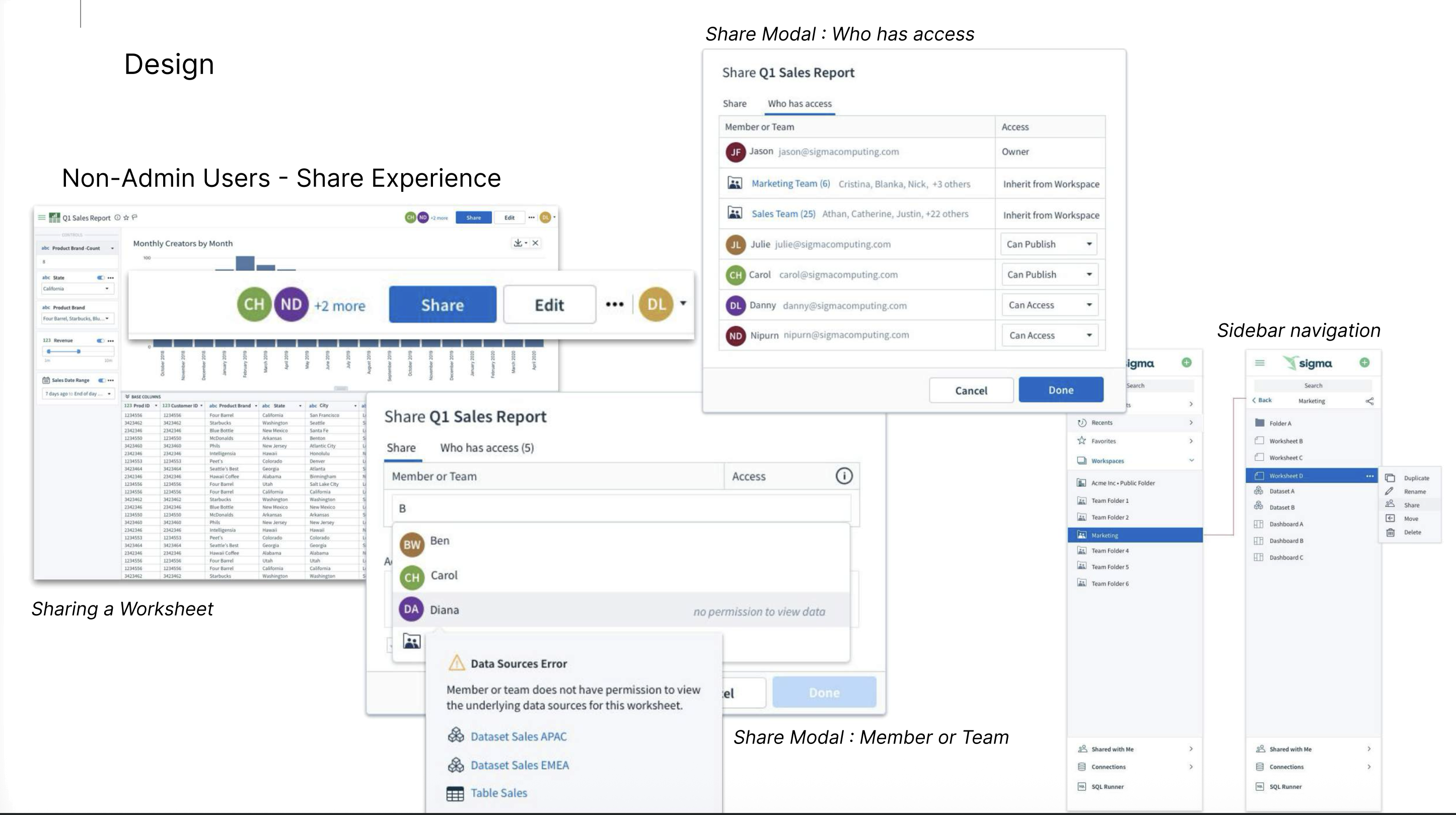
For non-admin users, sharing had to account for underlying data access, not just visibility. When someone shared a worksheet with a teammate who lacked permission to its underlying datasets, the share modal now surfaces exactly which data sources are blocking access — so the sharer can resolve the permission gap instead of handing off a worksheet that quietly breaks.

Solution: Admin Permissions

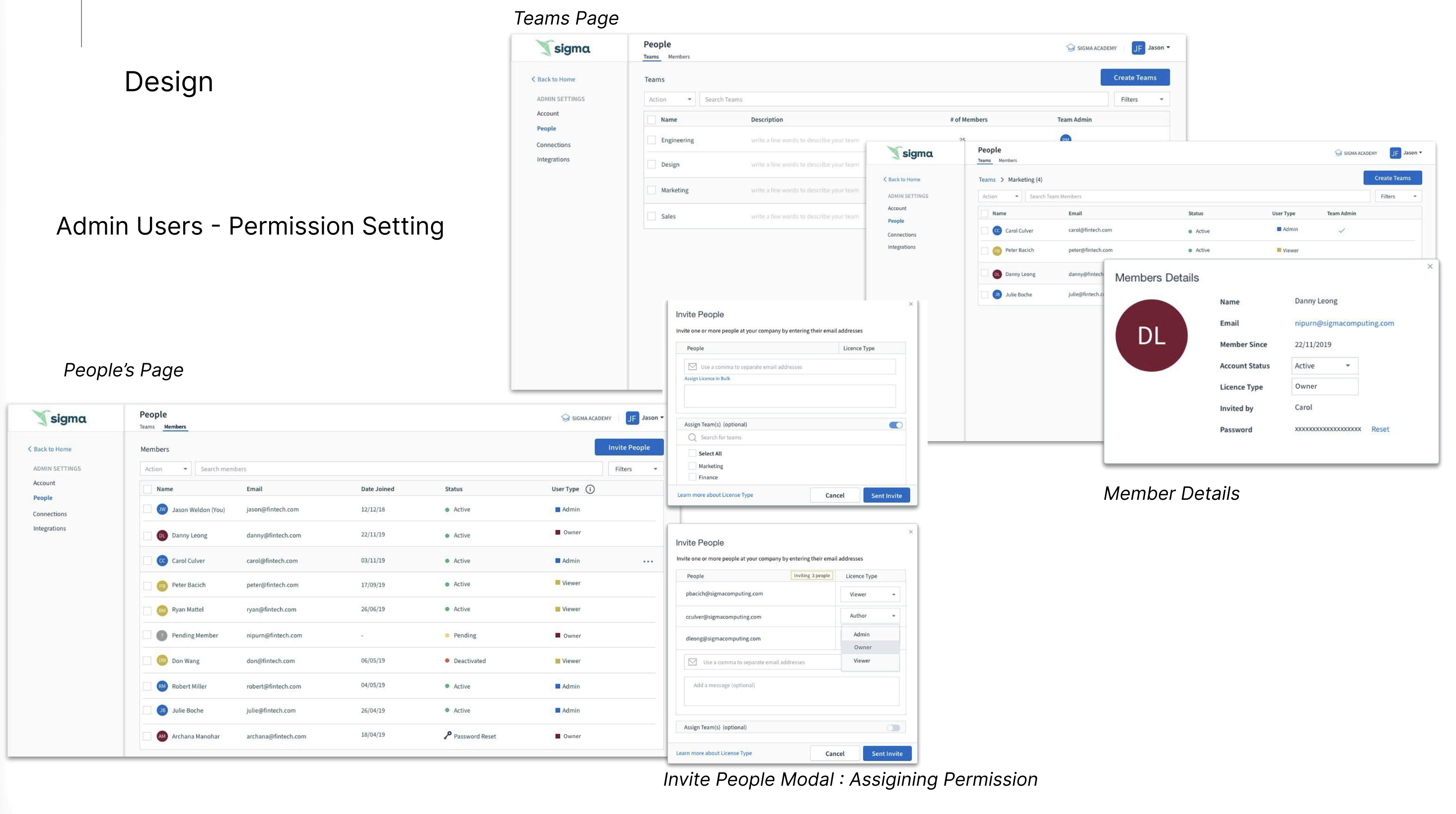
For admins, I designed the People and Teams pages — a single place to invite users, assign license types (Admin, Author, Viewer), and organize people into teams like Engineering, Design, Marketing, and Sales, with team-level permissions cascading down instead of being set document by document.

Before

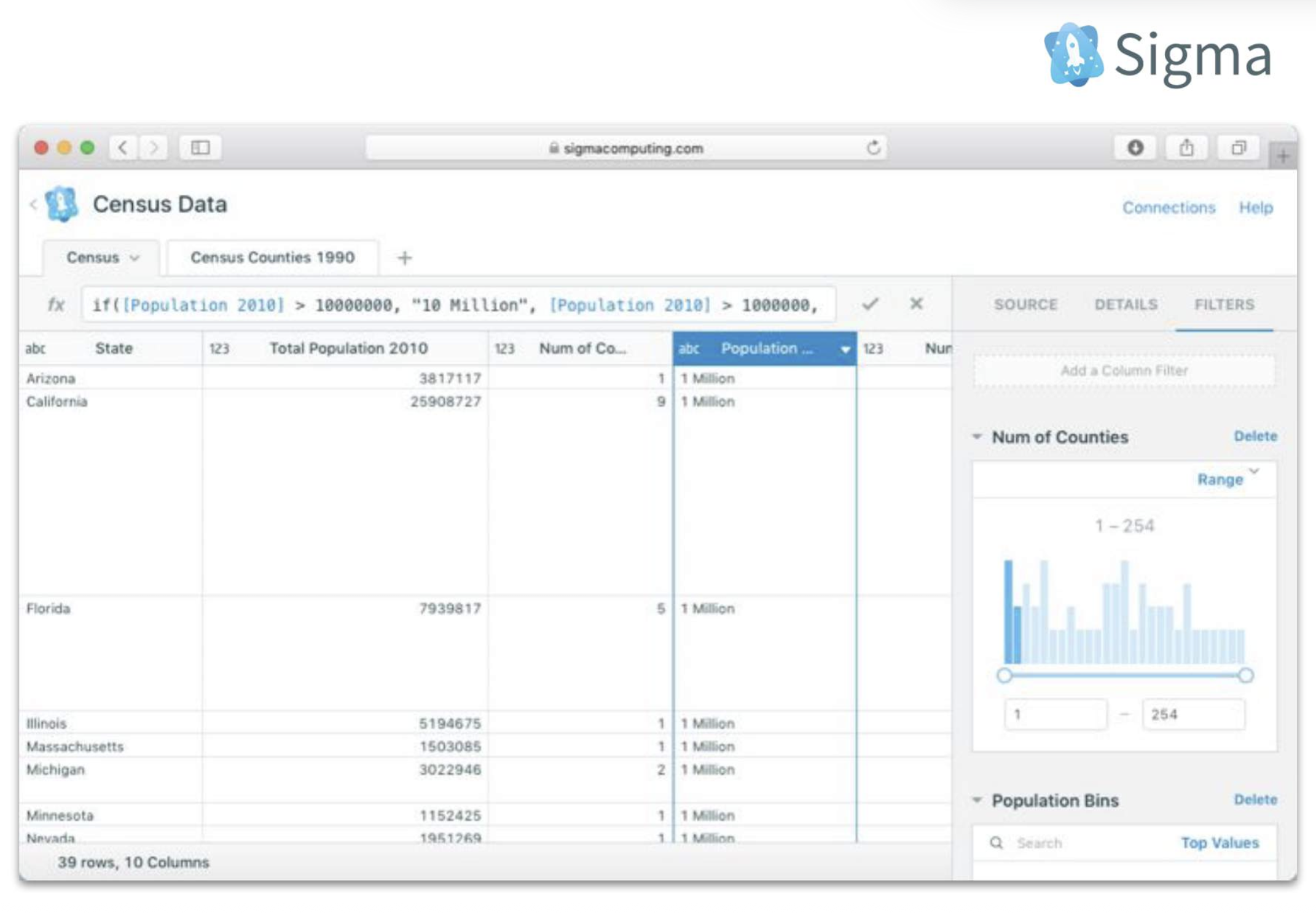
Sigma's early adopters had real reservations about the interface. Data lived behind locked icons across Dashboards, Worksheets, Tables, and Datasets, and it wasn't always clear why someone could see one object but not another.

After

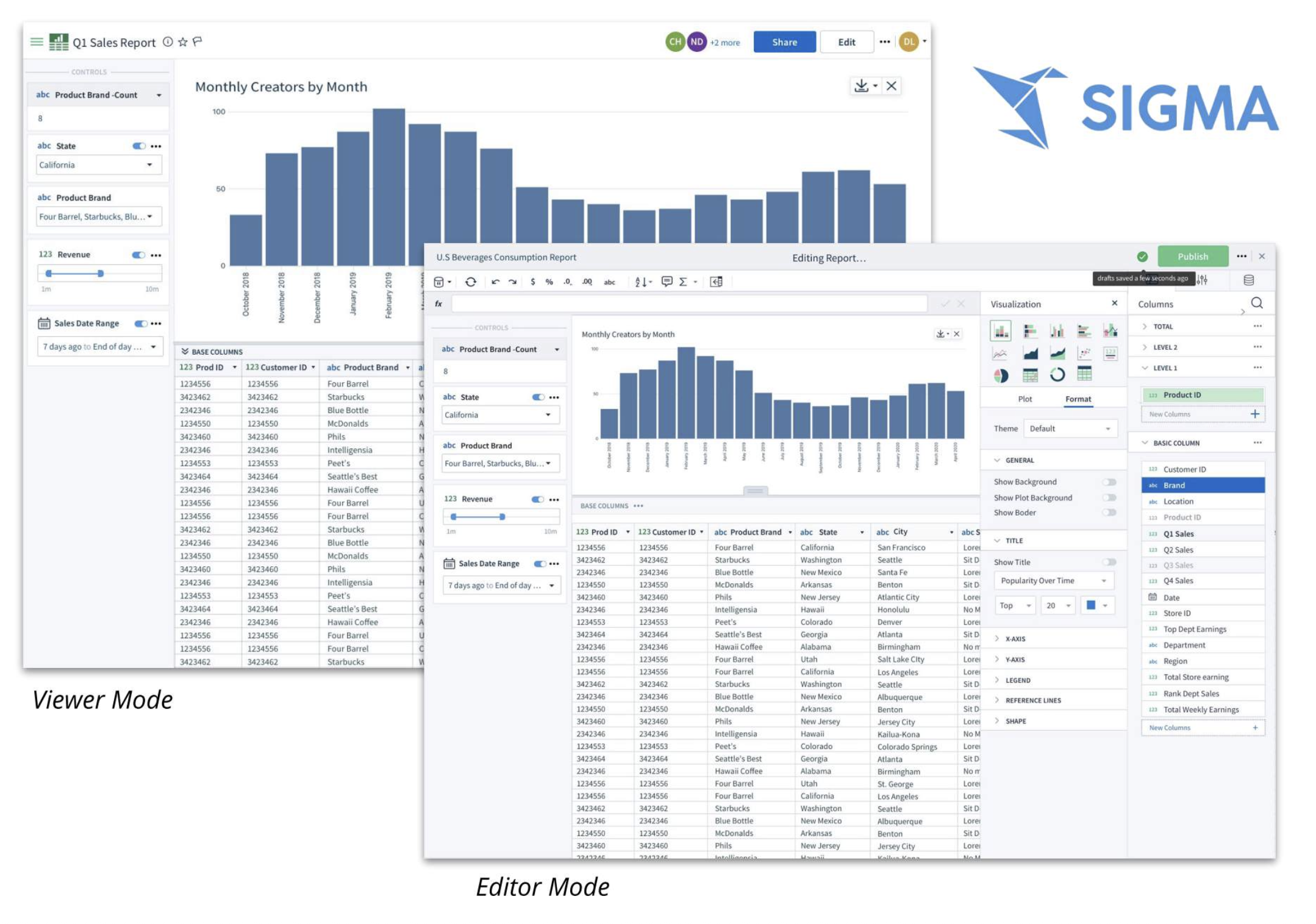
The redesigned experience gave Sigma a fresh, modern interface with both a streamlined Viewer mode for consuming reports and a full Editor mode for building them — with permission logic that's visible and understandable instead of a locked-icon guessing game.

Results

“We're able to cover all our business user needs and use cases with Sigma. This keeps the ad hoc requests to a minimum so both sides of the business can be more productive.” — Alex Mora, Data Engineer at Clover

Clover achieved a 90% decrease in time to data insights with Sigma, deploying it to 75 users across 7 departments.

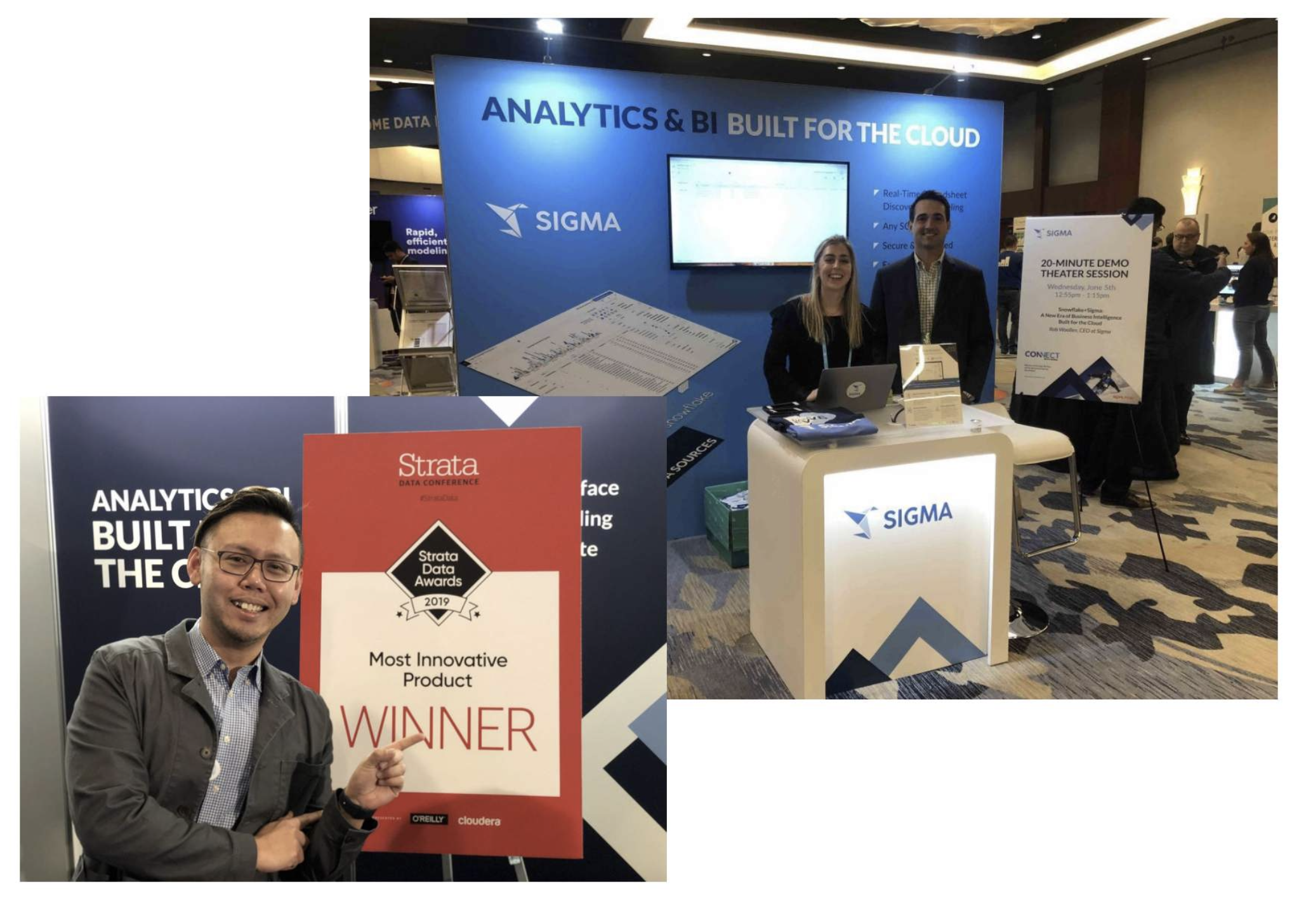
Beyond product design, I served as art director for Sigma, overseeing its rebrand and launching the product at the 2019 Strata Data Conference, where it won the Most Innovative Product award.