Defense Storm GRID AI Case Study

Back

The Problem

GRID AI launched as DefenseStorm's answer to alert fatigue and slow investigations, but new capabilities kept shipping faster than customers could discover them. Analysts often didn't realize GRID could already do what they were piecing together manually, and support tickets piled up asking questions the product could already answer.
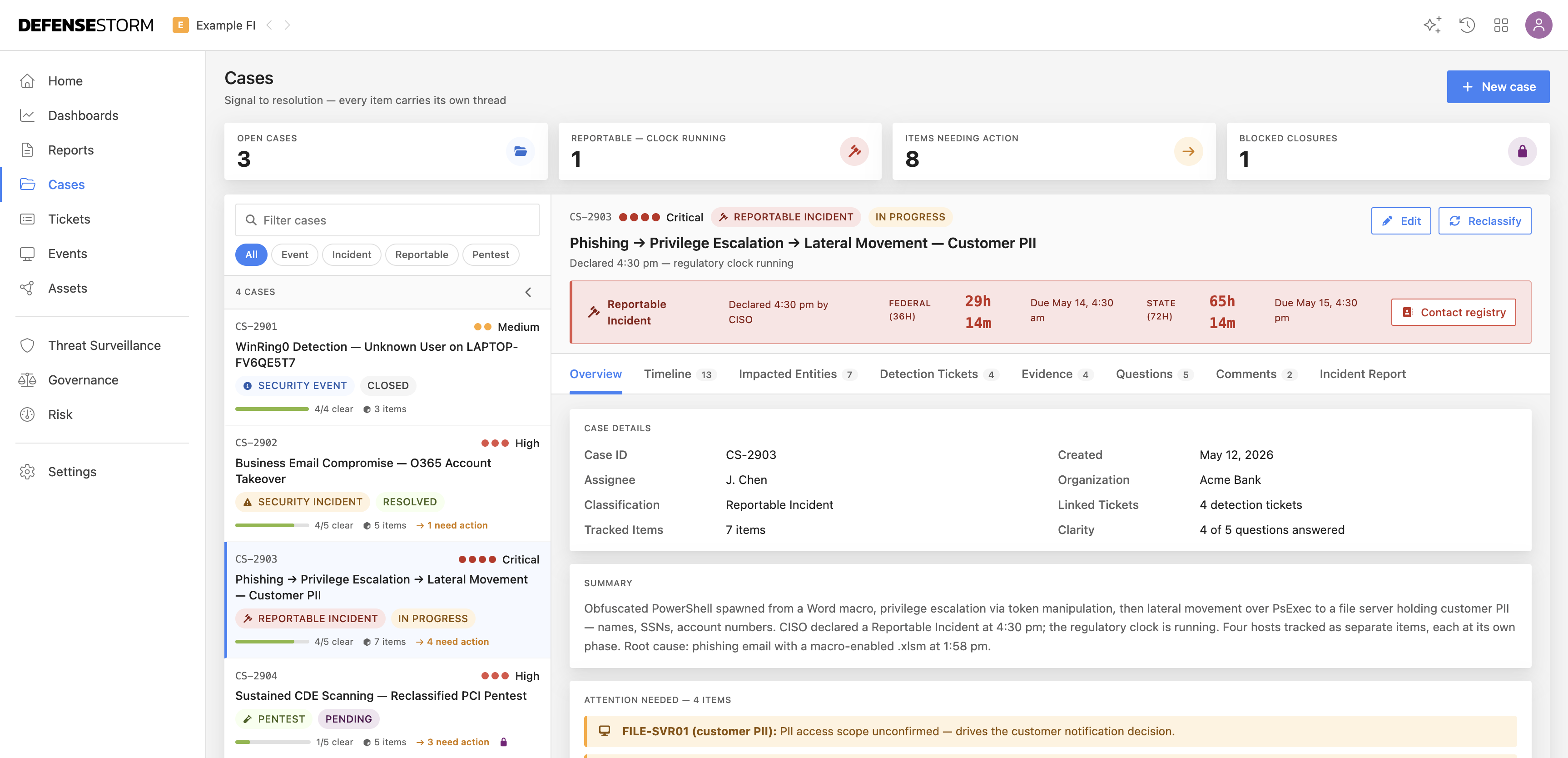
Case Management screen showing a dense list of open security cases

Case Management: analysts juggle dozens of open cases with dense filters and no clear signal on what actually needs attention first.
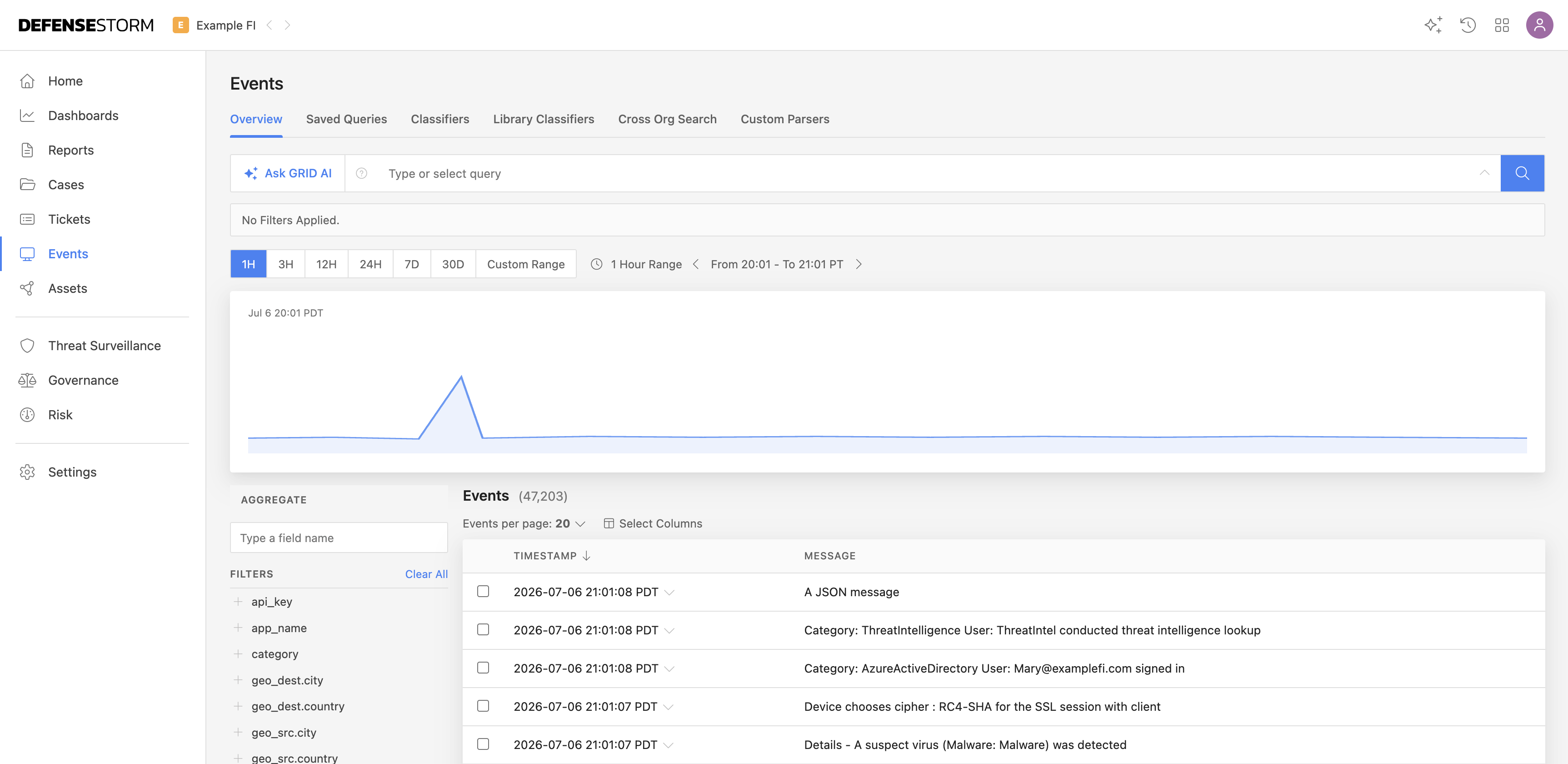
Events Overview screen showing a raw stream of security events

Events Overview: a constant stream of raw events analysts have to manually correlate and triage before they can even start investigating.
My Role

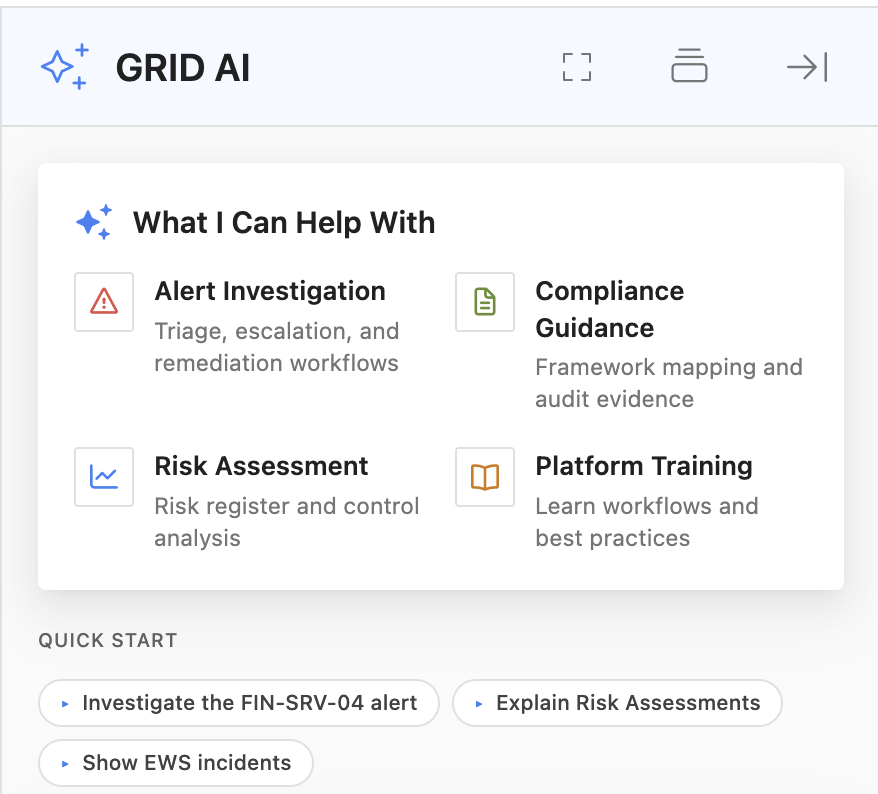
Lead Product Designer on GRID AI, working closely with engineering and the security research team to take the chatbot from 0 to 1 and turn it into the primary way analysts get help inside the platform.

Objective: give analysts a fast, trustworthy way to get contextual answers and take action, without leaving their workflow to dig through documentation.

Process

I mapped the most common analyst questions, alert investigation, compliance guidance, risk assessment, against what GRID could already surface, then designed a guided setup flow so the assistant understands each customer's environment from day one. Early wireframes focused on trust: showing sources, letting analysts scope requests to a specific dashboard, and keeping every suggested action reversible.

1 Map Analyst Needs Alert Investigation Compliance Guidance Risk Assessment 2 Match to GRID Identify what the assistant could already surface 3 Guided Setup Understand each customer's environment from day one 4 Design for Trust Show sources Scope to a dashboard Reversible actions

AI-First Component System

A few of the reusable components built to make GRID AI feel trustworthy and transparent — pulled from the full internal component library.

Component 06
Citations & source display
PowerShell spawned from a parent process that does not normally launch shells 1 and connected to a known Tor exit node 2.
1
GRID event 2026-0518-142308
Threat Surveillance · 2 min ago
Every claim links to its source. Hover a citation, its source card highlights — and vice versa.
Component 07
Tool-use indicators
🔍
search_grid_events
Searched FIN-SRV-04, 14:20–14:30 UTC
312ms
🔒
lookup_threat_intel
Resolved IP against threat feeds
189ms
Collapsed rows disclose what the model did — expandable, never hidden.
Component 08
Agent status panel
Pulling event timeline
14 events matched
2
Checking endpoint history
Looking for prior activity on this host…
Long-running agent work stays legible instead of feeling like a frozen tab.

Prototype

I built an interactive prototype of the chat panel, guided prompts, scoped context chips, and inline actions, and walked it through with the security research team before engineering began implementation.

Before & After

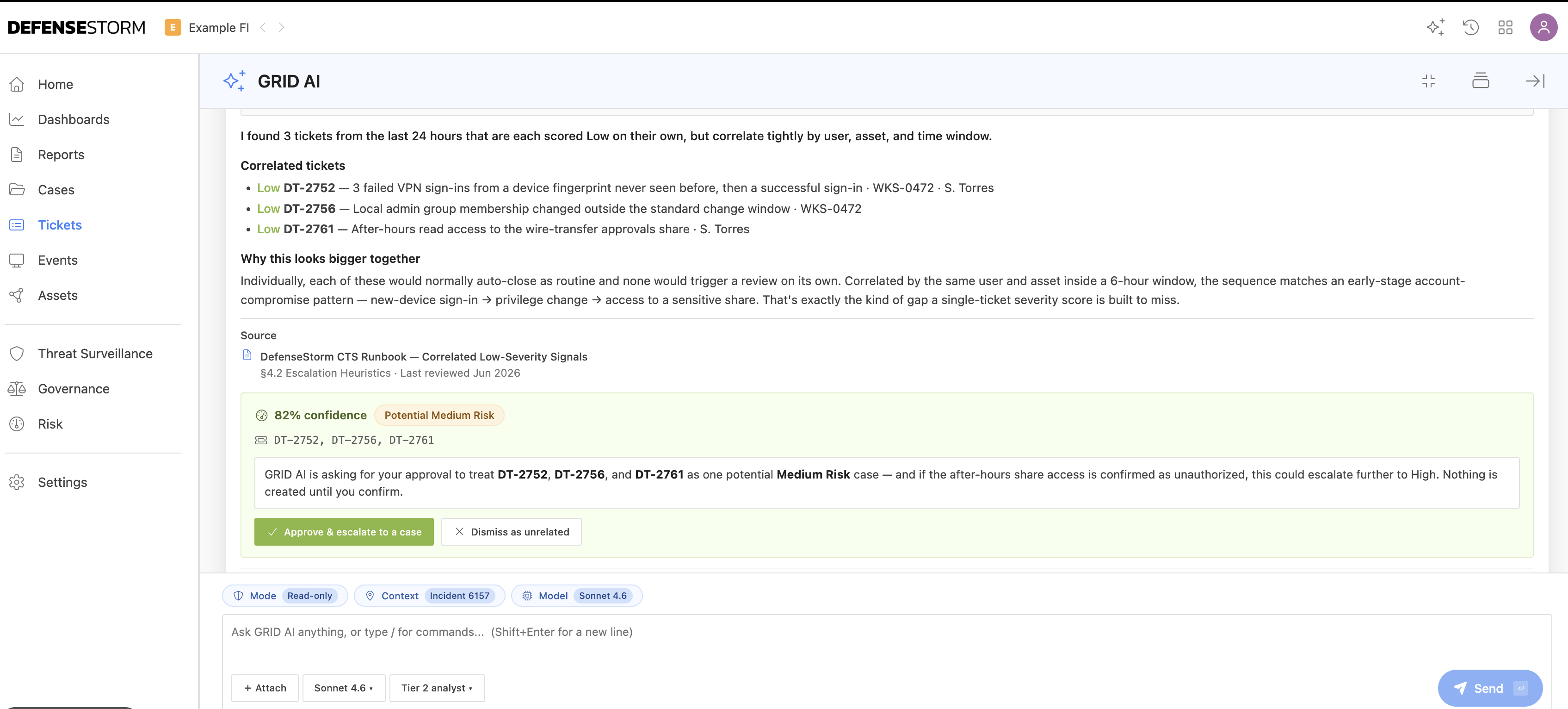
Before GRID AI, analysts worked case by case, and with limited time, attention naturally went to the high-severity and critical tickets first. Low-severity tickets were often closed as routine, even when a few of them together told a bigger story. GRID AI now correlates signals across tickets, surfacing patterns in the low-severity queue that a single-ticket severity score would otherwise miss, and asks for analyst approval before escalating.

Every ticket reviewed, not just the critical ones. Low-severity signals correlated before they're dismissed. Analysts stay in control, GRID AI asks before escalating.